 Does your website or e-shop run on WordPress? Do you need to export texts in order to have them translated?
The instructions below will show you how to do this in 2 minutes using the WPML plugin.
1. In the WordPress menu on the left, choose interface WPML and click on the Translation Management tab.
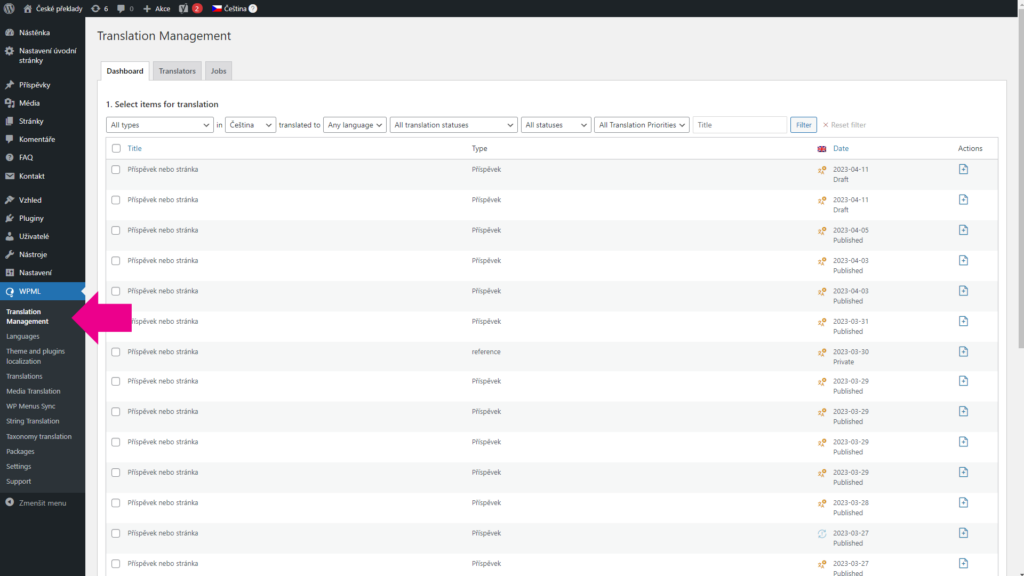
2. You can use a filter to select the content for translation.
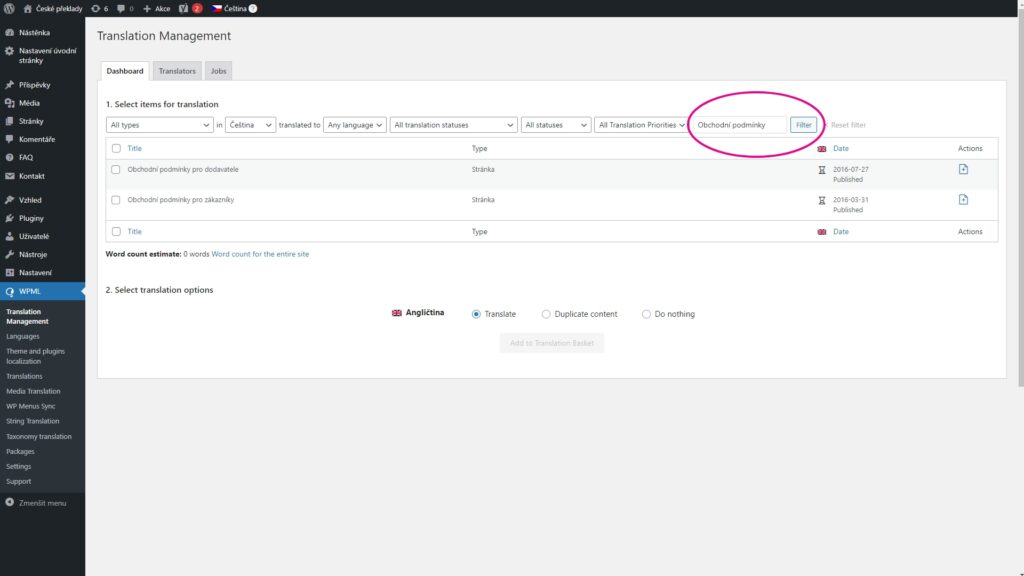
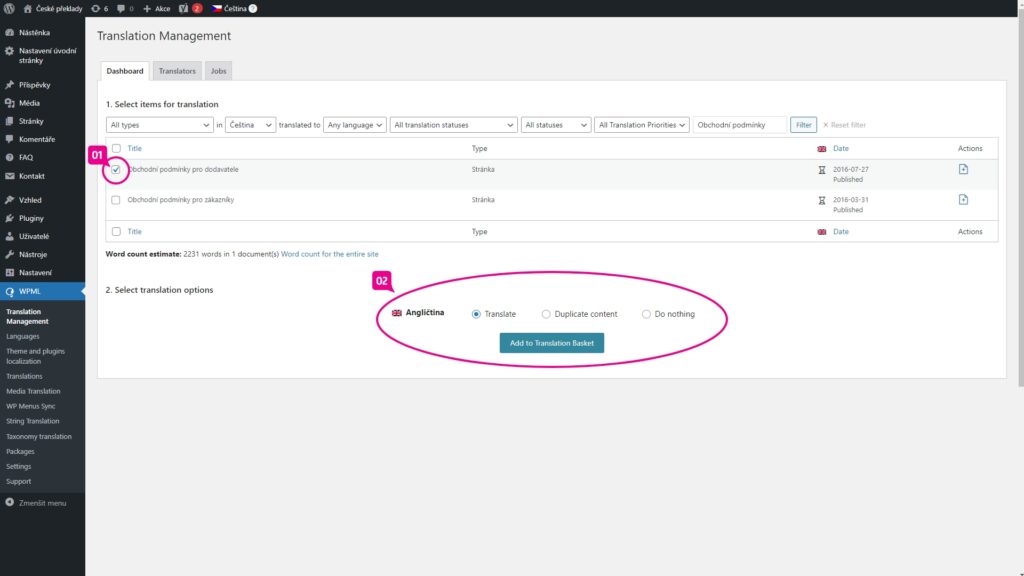
3. Tick off the content (01) you want to translate. Click on Translate (02) and then Add to Translation Basket.
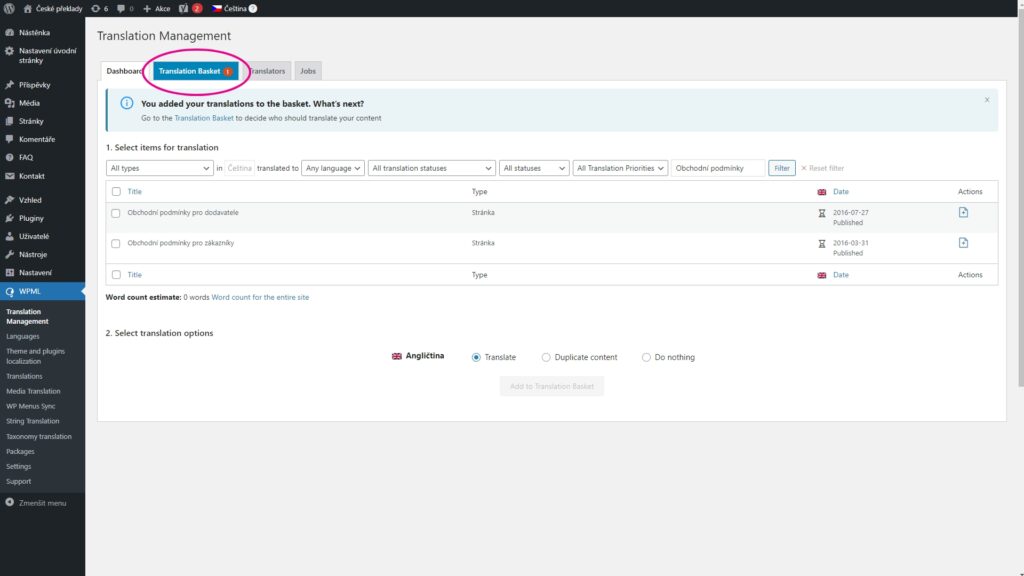
4. Now, the content for translation has been moved under the Translation Basket tab.
5. Inside the Translation Basket under Translator (01), choose your name in the pop-up menu and click on Send all items for translation (02).
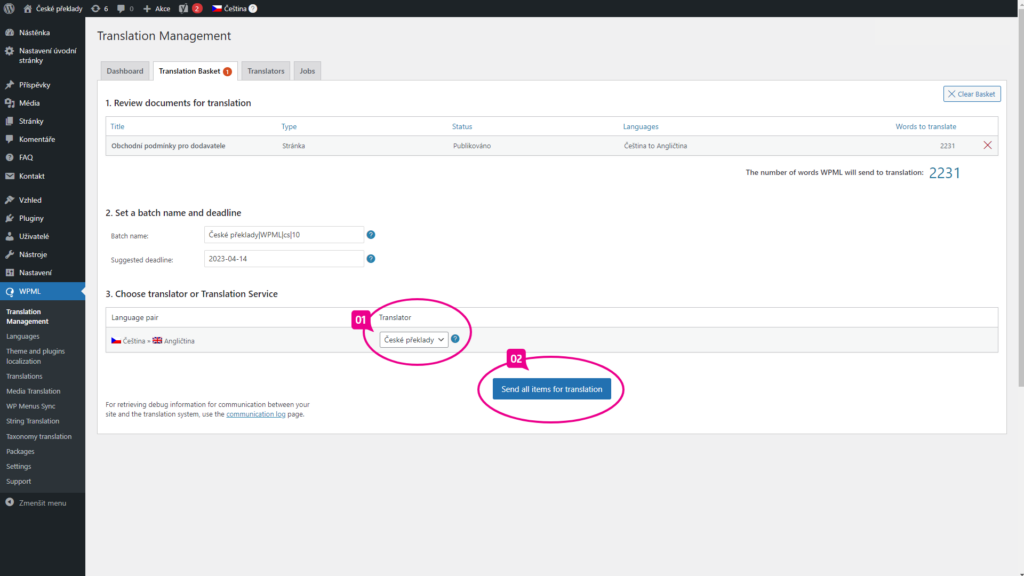

Did you know that you can send us documents for translation directly via the WPML interface, with no need to send e-mails? See an official documentation for a step-by-step guide.
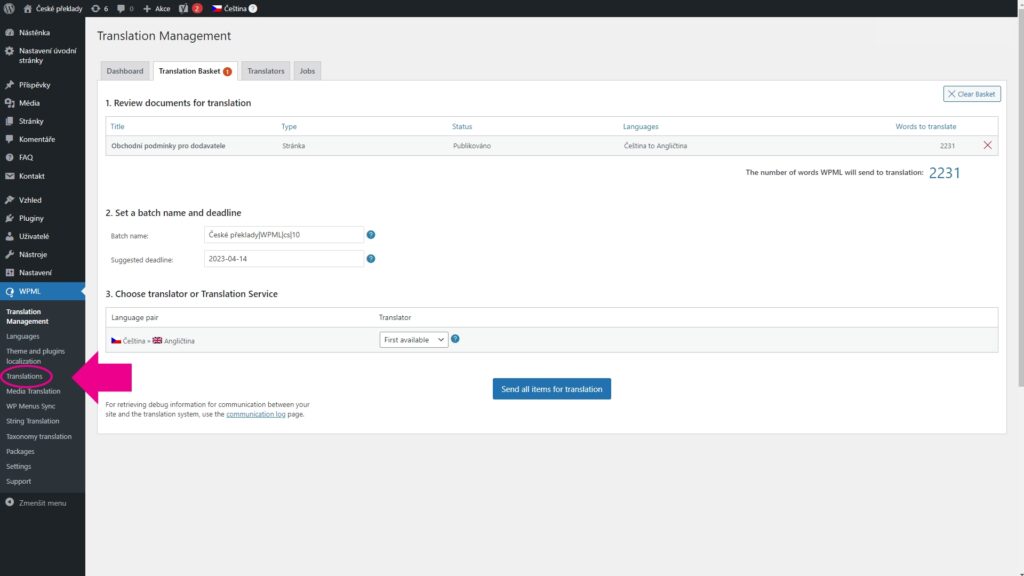
6. Now choose Translations at the bottom left of your WPML page.
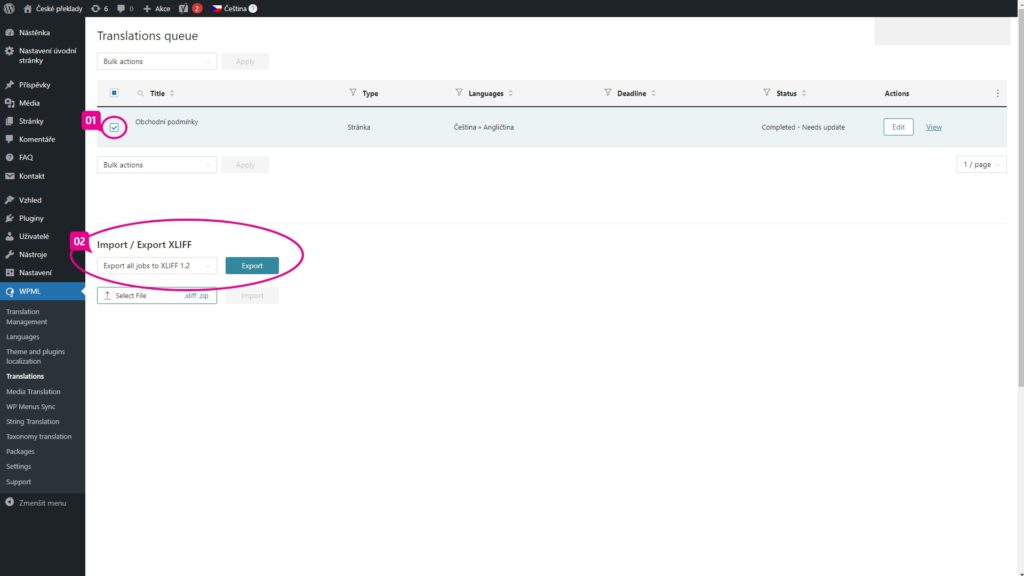
7. Under Translations tick (01) the posts for translation and export them as .xliff files (02).
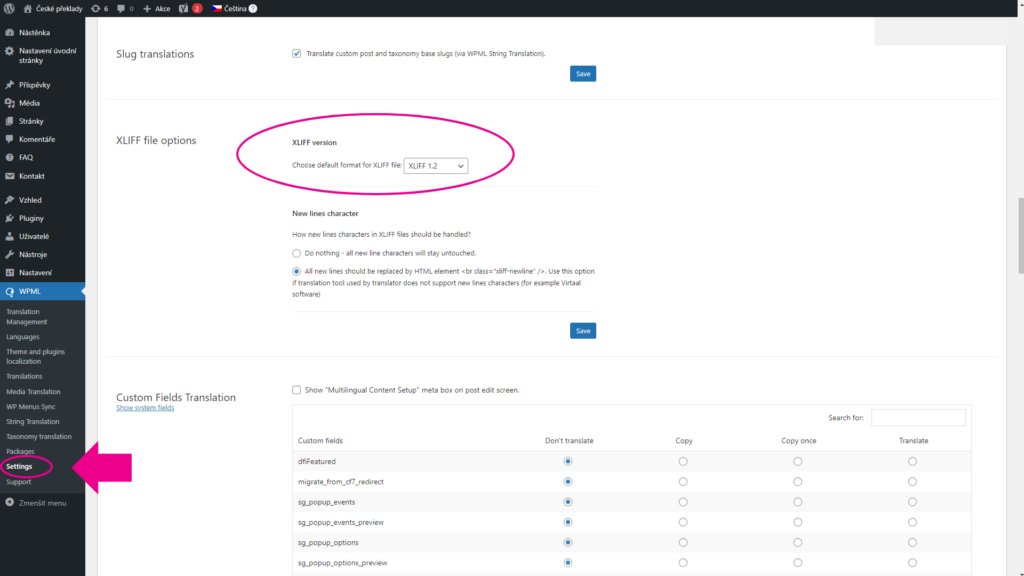
8. Export ideally in XLIFF version 1.2. The default export version can be selected under WPML/Settings. Send the .xliff files to the translator via e-mail.
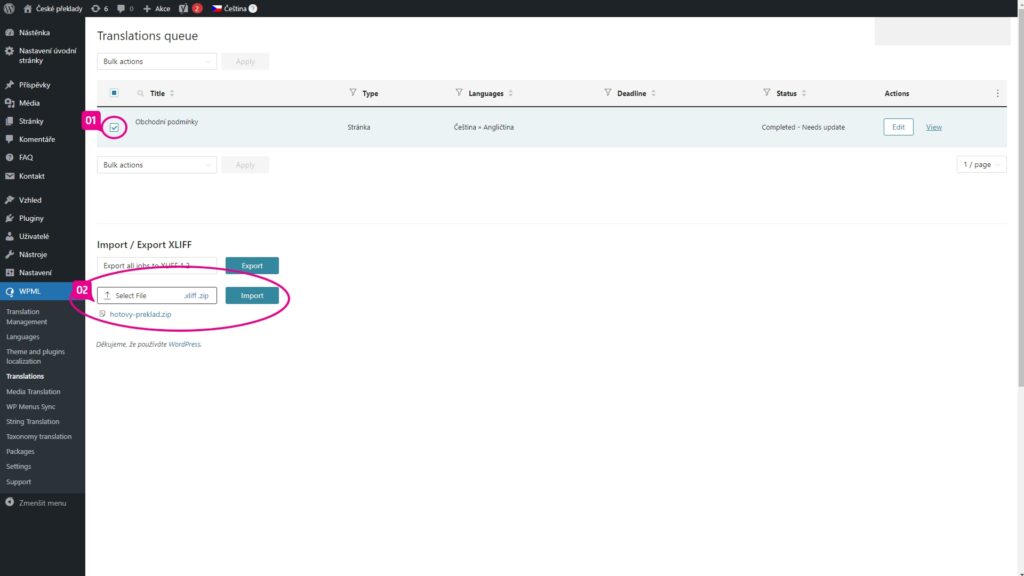
9. After the translator sends the translated texts back, tick the translated parts (01), choose the translations (02), and upload them by clicking Import.

Why choose České překlady for the translation of your website or e-shop in WordPress?
- We are professionals with over 20 years of experience.
- We can also help you with various technical issues that may occur during the process of ordering translations.
- If you are open to technology, we will gladly introduce you to our unique system of automation, that will automatically send your texts to us for translation and import them back translated, thus saving you time.
- The more translations you order from us, the more money you will save in the future thanks to repeated texts. With tools like a translation memory and glossary, which we create automatically for free for all our customers, you will not be charged full price for repeating texts.
- We work quickly, provide premium quality, and always meet deadlines.